
Starfish VPN: A Freemium Android App That Makes Online Privacy Simple and Accessible
Overview
People are more careful about their online privacy than they used to be. From public Wi-Fi risks to geo-restricted content, there’s a growing demand for simple, reliable VPN solutions on mobile. Starfish VPN was built to meet exactly that need.
The client approached Technext with a clear vision: a freemium Android VPN app with a clean interface, stable connections, and premium upgrade options. Technext took the project from concept to a fully published Play Store product, handling both the UI/UX design and the entire development process.
The Challenge
VPN apps are a crowded space. Most of them suffer from one of two problems: they’re either too technical for everyday users to understand, or they strip down the interface so much that power users feel limited. The client wanted something in between.
Beyond the product direction, there were real technical challenges too. VPN connections need to feel instantaneous and stable. The app had to work reliably across a wide range of Android devices and OS versions. The kill switch and always-on VPN features needed to plug into Android’s native network stack. And on top of all that, the subscription and billing flow had to be integrated with Google Play’s in-app purchase system without friction.
The design side had its own complexity. Two themes, light and dark, needed to feel cohesive without just being palette swaps. The server selection needed to work intuitively without overwhelming users. And the app filtering feature, which lets users exclude specific apps from the VPN tunnel, needed a UI that made sense without any explanation.
Design
The design work started with one core principle: a user should be able to connect to a VPN within the first five seconds of opening the app. That shaped every decision from there.
Interface and Visual Language
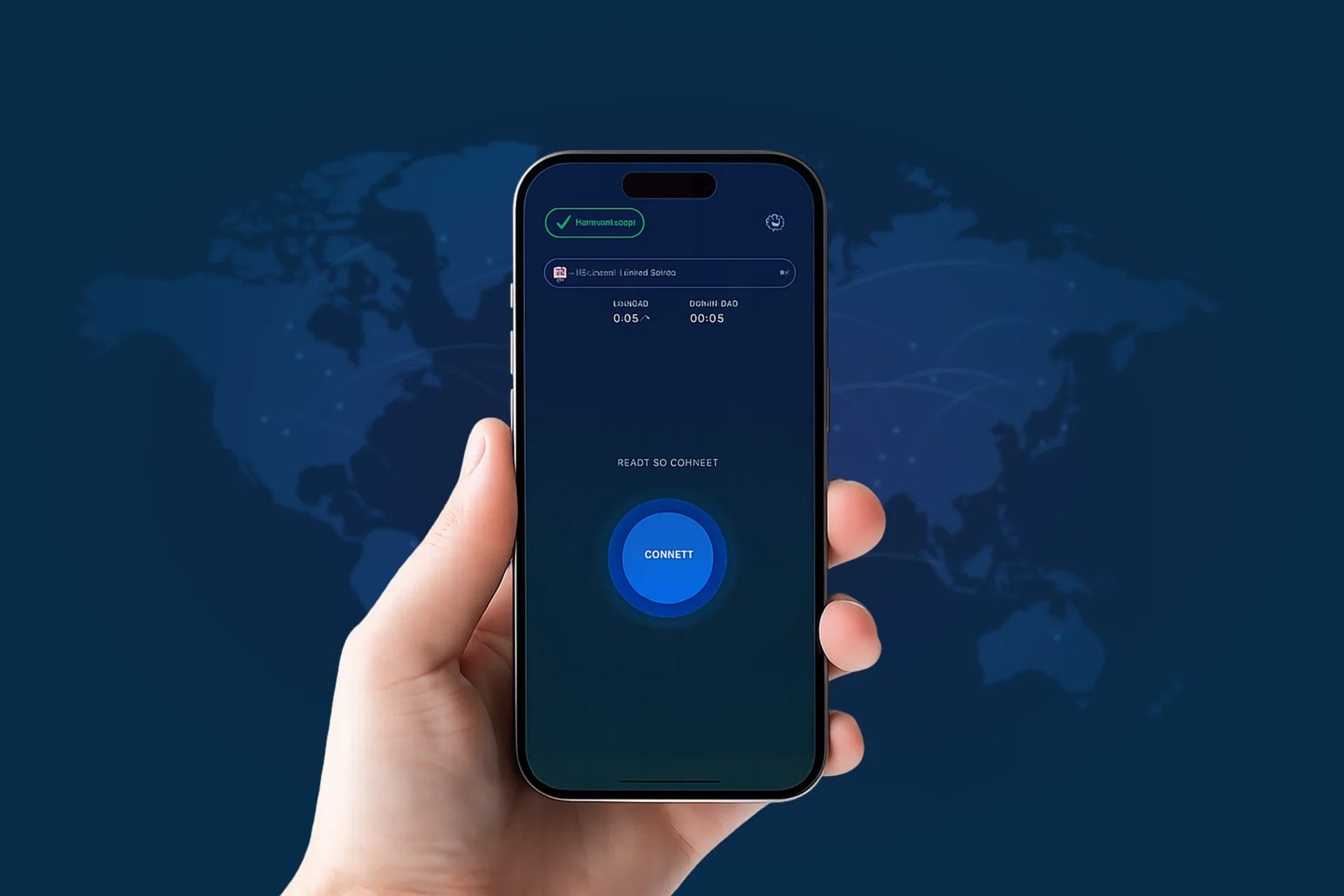
The main screen keeps it minimal. One large circular button for connect/disconnect, a server selector at the top, and live upload/download indicators. Nothing else competes for attention. The status (CONNECTED, READY TO CONNECT) is displayed prominently so users always know exactly where they stand.
Two complete themes were designed, a light version for daytime use and a darker, navy-tinted version for users who prefer it. Both themes use the same layout structure, so switching between them feels seamless rather than jarring. The premium/VIP tier is visually distinguished with subtle UI changes that feel earned rather than intrusive.
Server Selection
The server picker was designed as a slide-up panel. Users see a clean list of available locations like US (central and east), UK, EU, Singapore, each with a country flag for quick visual identification. The currently active server is marked with a checkmark. It’s fast to use, and it gets out of the way once a selection is made.
Settings and Advanced Controls
The settings screen keeps power-user features accessible without cluttering the main flow. Dark mode toggle, auto-connect on startup, and ad removal (for premium users) are all managed through clean toggle switches. Deeper features, like app filtering and the kill switch are tucked behind clearly labeled buttons rather than buried in menus.
App Filtering (Split Tunneling)
One of the more technically interesting UX problems was split tunneling. Users need to be able to decide which apps go through the VPN and which ones don’t, which is useful when, say, you want Netflix to bypass the VPN while your browser uses it. The solution was a searchable list of all installed apps, with simple radio toggles. A counter at the top shows how many apps are currently excluded. It’s functional without being complicated.
Kill Switch and Always-On VPN
Android’s kill switch and always-on VPN features live in the system settings, outside of the app’s direct control. Rather than trying to replicate those settings inside the app, the team built a simple Instructions screen. It walks users through the kill switch setup step by step, in plain everyday language. A button at the bottom opens Android Settings directly, so users don’t have to go hunting for it themselves.
Development
Two things drove most of the development effort: getting the VPN layer to behave reliably and wiring up everything around it, like subscriptions, in-app purchases, and the broader Android app architecture.
VPN Protocol and Connection Stability
Starfish VPN is built on WireGuard, a modern VPN protocol known for being leaner and faster than older alternatives. It has a much smaller codebase than protocols like OpenVPN, which generally means fewer vulnerabilities and quicker connection times. For a consumer-facing app where speed and reliability matter, it was a sensible fit.
The Android integration was built natively, and a fair amount of thought went into how the app handles dropped connections. Instead of just failing silently, the connection logic was written to recover on its own when a network interruption hits. The always-on VPN hooks into Android’s native VPN framework, so reconnection happens in the background without the user needing to do anything.
Real-time speed data (upload/download in KB/s and MB/s) is displayed live on the main screen, pulled directly from the active VPN tunnel. This gives users immediate feedback that their connection is actually working.
Freemium Model and Google Play Billing
The app’s subscription system is integrated with Google Play’s billing API. Free users get access to a handful of servers, but ads come with the territory. Going VIP clears those out, opens up all available server locations, and routes traffic through faster infrastructure. On the billing side, users can pick between a yearly plan at BDT 350 per month or a biannual option at BDT 383 per month. The annual plan shows a small savings badge, which nudges most users toward the longer commitment without any hard sell.
Dynamic Server Management
Server locations are managed from the backend. That means the team can add, remove, or adjust servers without pushing an update to the app, users just see the latest list the next time they open the server picker. Each entry also carries geolocation data for flag display and routing metadata used to optimize connection quality.
Key Features Delivered
- WireGuard protocol with native Android integration
- One-tap connect/disconnect with live speed monitoring
- Multi-region server selection: US (Central & East), UK, EU, Singapore
- Light and dark themes with full UI consistency across both
- Application-level filtering (split tunneling) with searchable app list
- Kill switch and always-on VPN with guided setup instructions
- Freemium model with Google Play in-app subscription billing
- VIP tier with ad removal, faster servers, and worldwide location access
- Auto-connect on startup option
- Dynamic server list updateable without app releases
- Google Play Store listing with promotional screenshots
Result
Starfish VPN launched on the Google Play Store as a complete, production-ready application. The app covers the full spectrum of what a consumer VPN needs to be reliable for casual users who just want a single tap to feel secure and configurable enough for users who want granular control over their traffic.
The freemium model gives the product a clear path for monetization, and the VIP upgrade flow is built to convert without being pushy. The design language holds up in both themes, and the underlying VPN architecture is stable enough to handle day-to-day use without requiring constant user attention.
From the first wireframe to the final Play Store submission, Technext handled every piece of this project: design, development, and deployment.
Industry
Cybersecurity, Consumer Mobile App
Provided Service
Mobile App Development
Tech Stack
Android, Kotlin, NestJS, MongoDB, Google Play Store
Location

Delaware

